
How do I use a Tiranga gift code?
Log in, open the Activity tab, tap Gifts, paste the redemption code into the box and tap Receive or confirm. If the code is valid and unclaimed, the reward appears in your balance and in gift history. Codes are free; never pay anyone for one.
Definition
What is a Tiranga gift code?
A Tiranga gift code is a redemption code that releases a fixed reward when entered in the Gifts section of the Activity tab.
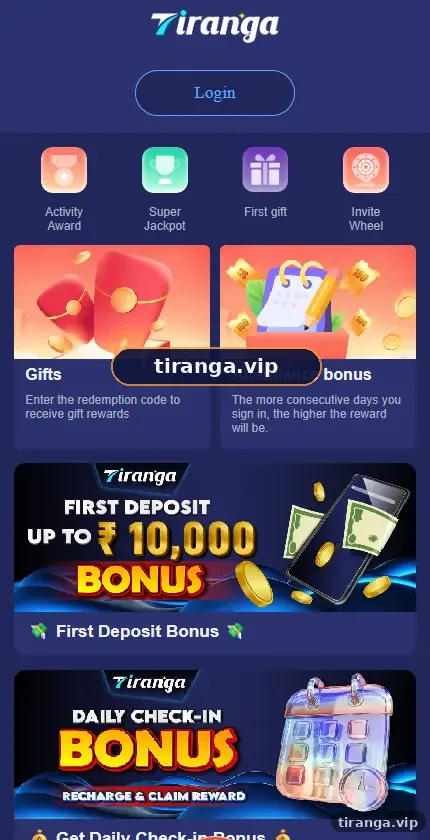
The Gifts card we captured reads “Enter the redemption code to receive gift rewards”. Codes are typically shared by the platform in its notices or channels for a limited time, and each code has a limit on how many times it can be claimed.
Step by step
How do you redeem a Tiranga gift code?
- Log in. Use your bookmarked link or the app.
- Open Activity. Tap the Activity tab at the bottom of the screen.
- Tap Gifts. It is the card with the red gift box.
- Paste the code. Copy it exactly; codes are often case-sensitive.
- Confirm. Tap the receive or confirm button.
- Check gift history. The reward and time should appear in the history list.
Why it fails
Why is your Tiranga gift code not working?
| Message or symptom | Likely reason | What to do |
|---|---|---|
| Invalid code | Typo, extra space or wrong letters | Copy and paste again without spaces |
| Code expired | Time window closed | Wait for a new code |
| Already claimed | Claim limit reached or you used it | Nothing to fix; codes are first come, first served |
| Not eligible | Account does not meet the code’s condition | Check the rules attached to the code |
| Nothing happens | Network glitch | Refresh and try once more |
Where
Where do real Tiranga gift codes come from?
Genuine codes come from the platform itself: in-app notices, the notice strip on the home screen or the channel link listed in the Self Service Center.
Treat any code from a stranger, a paid group or a website that asks you to “unlock” it with suspicion. A real code costs nothing and works for anyone who meets its condition before it runs out.
Who it is for
Who benefits from gift codes?
- Regular players who already check the app.
- People who want a small extra on top of the Attendance bonus.
Codes are small, short-lived rewards, so they should never be a reason to deposit or to play longer than planned. See how they fit with other rewards in the Tiranga bonus guide and the attendance ladder.
Compare
Gift code vs other Tiranga rewards
| Reward | Needs a deposit? | How you get it |
|---|---|---|
| Gift code | Depends on code rules | Type the code in Gifts |
| Attendance bonus | Check the Game Rules | Log in on consecutive days |
| First gift | Yes, linked to first deposit | Make a qualifying deposit |
| Invite Wheel | Linked to invites | Invite friends via Promotion |
Scams
What Tiranga gift code scams should you avoid?
The classic scam is a “paid VIP code group” that promises big codes for a fee.
Codes are free. Anyone charging for codes, asking for your login to “apply” a code, or asking you to deposit to their UPI is a scammer.
More safety tips sit on our Tiranga game gift and bonus homepage.
FAQ
Tiranga gift code FAQ
Where do I enter a Tiranga gift code?
Activity, then Gifts. Paste the code and confirm.
Why does my Tiranga gift code say invalid?
Usually a typo or a space. Copy and paste the code again exactly.
How long does a Tiranga gift code last?
Codes are usually short-lived and limited in claims. Use them as soon as you see them.
Can I use one gift code twice?
No. Each account can normally claim a code once.
Do gift code rewards have turnover?
They can. Check the rules or Bonus details after claiming.
Where can I find today’s Tiranga gift code?
Check in-app notices and the platform’s own channel. Avoid paid groups.
Summary
Key takeaways
- Redeem codes in Activity, then Gifts.
- Copy codes exactly; most failures are typos or expired codes.
- Real codes come from the platform and are free.
- Never pay for codes or share your login to “apply” one.